The short answer
KEY TAKEAWAYS
- Both are full clinic platforms. Emerge and ChiroTouch Cloud each cover charting, scheduling, patient communication and billing. Neither one is a records-only tool.
- What is built in differs. Emerge includes its marketing CRM, medical billing and insurance billing workflows in the platform. Confirm what your Emerge quote includes. ChiroTouch spreads similar tools across three packages and add-ons. Its Lead Management and AI campaigns sit in the top Scale package, and its insurance billing tools are add-ons.
- ChiroTouch does have integrations. Fullscript runs inside ChiroTouch Cloud, and the ChiroTouch Marketplace lists more partners. Check whether the exact tools you use are on that list.
- Emerge has a development team for client requests. Its full-stack development team reviews client ideas and builds new features and connections. Emerge also gives hands-on help with migration and integrations. Not every request gets built, so get scope and timing in writing.
- Decide with your tool list. Write down every tool your clinic must keep. Then ask each vendor how each one works with its platform.
Look closely at Emerge if your team juggles separate marketing, CRM, billing and charting tools, or if you need a connection that no one sells off the shelf. Running several clinics? See Multi Location Clinic Software: The Connected Platform Guide.
ChiroTouch may suit you if you already run ChiroTouch Cloud, its packages cover what you need, and the partner tools you use are in its Marketplace.
Emerge vs ChiroTouch at a glance
This table describes what each company publishes or confirms. ChiroTouch details come from its public website, checked October 14, 2026, and describe its current Cloud packages. Your version and quote may differ. Emerge details come from the Emerge team and the Emerge website.
| Area | Emerge | ChiroTouch (public pages, Oct. 14, 2026) |
|---|---|---|
| Clinical core | Chiropractic and PT charting, a notes builder, AI scribe, AI waitlist, kiosk check-in, patient app and telehealth. | Scheduling, charting and basic Rheo AI charting in every plan. AI Scribe and Waitlist with EasyFill start at Grow (pricing page). |
| Marketing and CRM | Built-in marketing CRM: lead pipelines, automations, text, call, email, fax, website and email builders, reviews. | Reminders in every plan; some messaging marked optional. Campaigns, recalls and review requests from Grow. AI campaigns and Lead Management (Patient Link) in Scale only (pricing page). |
| Billing and payments | Medical billing, an AI claim scrubber, point-of-sale and clearinghouse connections. | Payments and a patient ledger in every plan. CT Pay and CT Billing Suite listed as add-ons (pricing page). |
| Insurance workflows | Part of the platform, per the Emerge team. 6+ clearinghouse integrations listed. | "Insurance billing tools are available as optional add-ons": Billing Suite plus a volume-based or unlimited clearinghouse option, with eligibility checks and ERA auto-posting (pricing page). |
| Third-party connections | Lists GoHighLevel, Facebook and Google Ads, clearinghouse and point-of-sale integrations. Ask the team for the current connector list and whether API or webhook access is available. | Fullscript in Cloud since February 10, 2026 (announcement). Marketplace partners for patient engagement, clinical workflow, home exercise and hiring; more "coming soon" (Marketplace). |
| Custom development | Configurable pipelines, forms, automations and dashboards. A full-stack team reviews client ideas and builds features and connections. | Custom SOAP templates, macros and workflows (product page). Grown "based on customer feedback"; planned items listed, and ChiroTouch says plans can change (migration page). |
| Moving your data | Patients, notes and schedules moved during onboarding, per the website. The team also does migration development and helps connect tools you keep. | Migration program from ChiroTouch Classic (server) to ChiroTouch Cloud, a move within ChiroTouch (migration page). Dedicated onboarding specialist in every plan (pricing page). |
| Packages and price | Ask for a written quote for your locations and users. Lists multi-location permissions, reporting and support channels. Prices not compared here. | Three packages: Start, Grow and Scale. Multi-location support starts at Grow. No prices shown October 14, 2026; add-ons listed separately (pricing page). Migration page mentions "all-inclusive packaging," so confirm your proposal (migration page). |
To test the first two rows in a demo, bring one of your real visit types and watch it charted from start to finish. Ask where a new lead lives before its first visit. The checklist below covers connections, billing, custom work and migration.
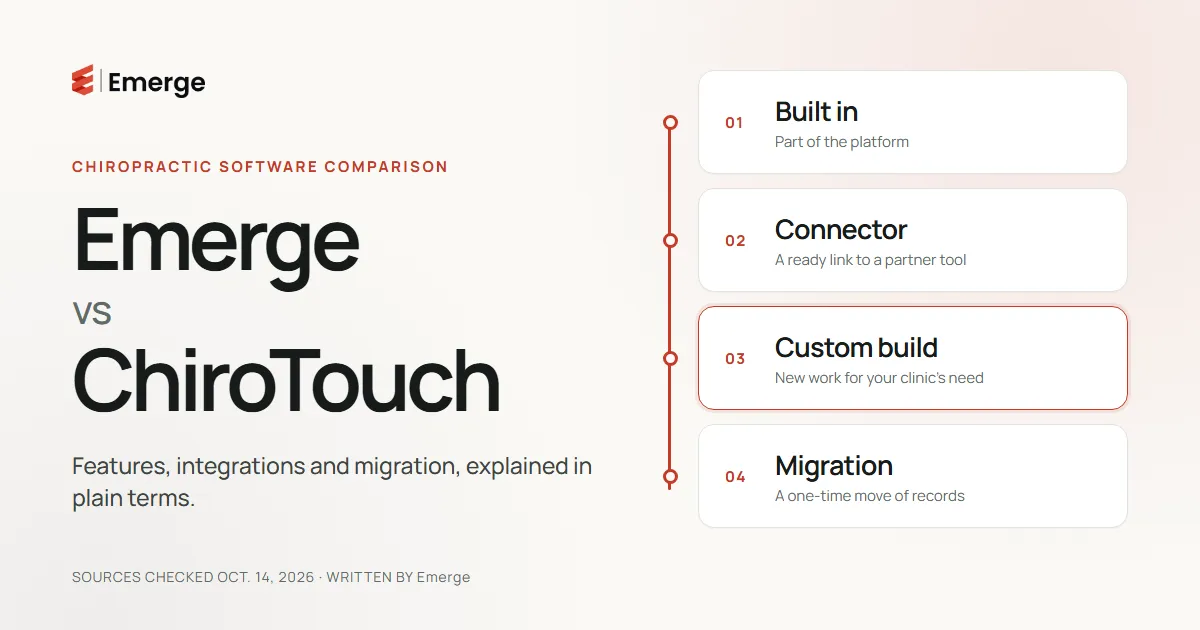
Four ways a tool can "work with" your software
When a vendor says a tool "works with" its platform, ask which of these four things it means. Each one has a different owner, cost and risk.

- Built in. The feature is part of the platform. Your team uses it with the same login, and the vendor maintains it. Examples: scheduling in both platforms and Emerge's marketing CRM.
- Supported connector. A ready-made link between two products, like Fullscript inside ChiroTouch Cloud. Ask what data moves, in which direction, and who fixes it if it breaks. You may still pay for the partner tool.
- Custom development. Someone builds a new feature or connection for your need. Ask who builds it, how long it takes, what it costs and who keeps it working after updates.
- Migration. A one-time move of records from your old system. It is not an ongoing connection. Ask which records move, in what format, and how you will check them.
One clinic can use all four. It might migrate old notes once, use a connector for supplements, ask for a custom report and run its leads in a built-in CRM.
What Emerge offers, and what clinics tell us
These points come from the Emerge team.
Marketing, billing and insurance workflows in one platform
Emerge includes a marketing CRM, medical billing and insurance billing workflows alongside EHR/EMR charting. Your front desk, providers and billing team work in one system with one login. If your clinic runs separate marketing, CRM and billing tools today, that can mean fewer handoffs between them. Confirm which parts your quote covers and which clearinghouse your clinic will use. For more on connected billing, see Chiropractic Billing Software: The Connected Clinic Guide.
A development team that reviews client requests
Emerge has a responsive, full-stack development team. The team reviews ideas from clients and builds new features and connections. If your clinic depends on a tool that is not connected yet, you can bring it to that team. Emerge does not promise to build every request. Ask for the scope, timeline and any cost in writing before you count on it.
Hands-on help with migration and integrations
Emerge's team helps move your patients, notes and schedules. It also does development work to support the move and to help connect tools you keep, where those tools allow it. What can move depends on what your current system can export. Ask for a test import of sample records before your go-live date.
What clinics tell the Emerge sales team
On Emerge sales calls, some clinics coming from ChiroTouch say they felt limited when they tried to connect the CRM or other platforms they wanted. That is their experience. It may not reflect every ChiroTouch setup, and ChiroTouch does offer integrations. If this sounds like your clinic, list the exact connections you could not make and bring that list to both vendors.
Where ChiroTouch may fit better
ChiroTouch has a broad chiropractic product line. It may be the better choice when:
- You already run ChiroTouch Cloud, and your package covers your marketing and billing needs.
- The partner tools you rely on, such as Fullscript, are in its Marketplace.
- You are on ChiroTouch Classic and want to move to Cloud with the same vendor. Its migration page lists the data types it carries from Classic to Cloud.
- You want its Rheo AI tools, such as AI Scribe, which its pricing page places in the Grow and Scale packages.
ChiroTouch's product is changing, too. Its migration page lists new integrations as available now, and an AI receptionist, an expanded marketplace and revenue-cycle enhancements as planned. Check the current state before you decide.
What to confirm before you switch
Use this list with both vendors. Ask for the answers in writing. To plan the demo itself, use the handoff tests in Chiropractic Practice Management Software: What to Look for Before You Buy.
- Make your tool list. Write down every system your clinic uses today: CRM, marketing, payments, clearinghouse, supplements, intake, phones and reporting. Mark each one "must keep," "happy to replace" or "not sure."
- Confirm compatibility for each tool. For every must-keep tool, ask whether it is built in, a supported connector, a custom build or not supported. Ask each vendor for its current connector list and whether API or webhook access is available for your workflow. Migration is a separate question, covered in step 5.
- Check the package. Get a written quote that names every feature and add-on you need, the monthly cost, and any setup and migration fees. Ask who processes card payments and at what rates, which clearinghouse and payers are supported, and how eligibility checks, claim scrubbing and payment posting work. Do not assume a feature shown in a demo is in your plan.
- Pin down custom work. If something needs to be built, ask how requests are reviewed and who owns yours. Get the scope, timeline and cost, and ask who maintains it after updates.
- Test the migration. Ask your current vendor how to get a full export of your data, and whether there is a fee. Ask the new vendor which fields move and in what format. Run a sample import and have your own staff check it before go-live. Plan how you will reach older records.
- Plan the cutover. Agree on training for each role, your go-live date and who answers questions in the first weeks.
Common questions
Does ChiroTouch have integrations?
Yes. Fullscript has been available in ChiroTouch Cloud since February 10, 2026, and the ChiroTouch Marketplace lists partners in several categories. Check the current list for the tools your clinic uses.
Can Emerge connect a tool my clinic already uses?
Some connections are already listed on the Emerge website, such as GoHighLevel and Facebook/Google Ads. For other tools, Emerge's development team can review the request. Ask whether your tool is already supported, can be built or cannot be connected, and get the timing in writing.
Can Emerge move my records from ChiroTouch?
Emerge's team helps move patients, notes and schedules as part of onboarding. What moves depends on the export you can get from your current system and its version. Ask for a test import first.
Bring your tool list to an Emerge demo
Bring your must-have tool list to a demo. We will show which items are built into Emerge, which ones connect, and which ones the Emerge development team would need to scope. We will also walk through how your records would move.
How we made this comparison
Emerge wrote this page. We are not neutral, so we show our sources.
- ChiroTouch facts come from ChiroTouch's public website, checked October 14, 2026. We saved dated copies of each page. We did not use a ChiroTouch account or test its software. Packages, prices and partners change, and ChiroTouch Classic (server) differs from ChiroTouch Cloud.
- Emerge facts come from the Emerge team and the Emerge website. Exact connectors, API access, timelines and fees depend on your clinic and are confirmed in your quote.
- What we left out: support speed, cost savings and performance numbers. We could not check those fairly, so we do not compare them.
- Names: ChiroTouch, Fullscript and other product names belong to their owners. Emerge is not affiliated with ChiroTouch or PracticeTek.
Sources
- ChiroTouch. Pricing & Plans. Packages, plan comparison table, add-ons and insurance-billing FAQ. Checked October 14, 2026.
- ChiroTouch. ChiroTouch Cloud Announces Fullscript Integration. Cloud access from February 10, 2026. Checked October 14, 2026.
- ChiroTouch. Marketplace. Listed partners and "coming soon" categories. Checked October 14, 2026.
- ChiroTouch. Chiropractic Practice Management Software. Custom workflows, templates and integrations section. Checked October 14, 2026.
- ChiroTouch. ChiroTouch Classic to Cloud. Migration data types, product timeline and planned items. Checked October 14, 2026.
- Emerge. Emerge website. Platform capabilities, listed integrations and migration description. Checked October 14, 2026.
- Emerge team. Descriptions of included marketing, billing and insurance workflows, the development team and migration help. Supplied October 14, 2026.